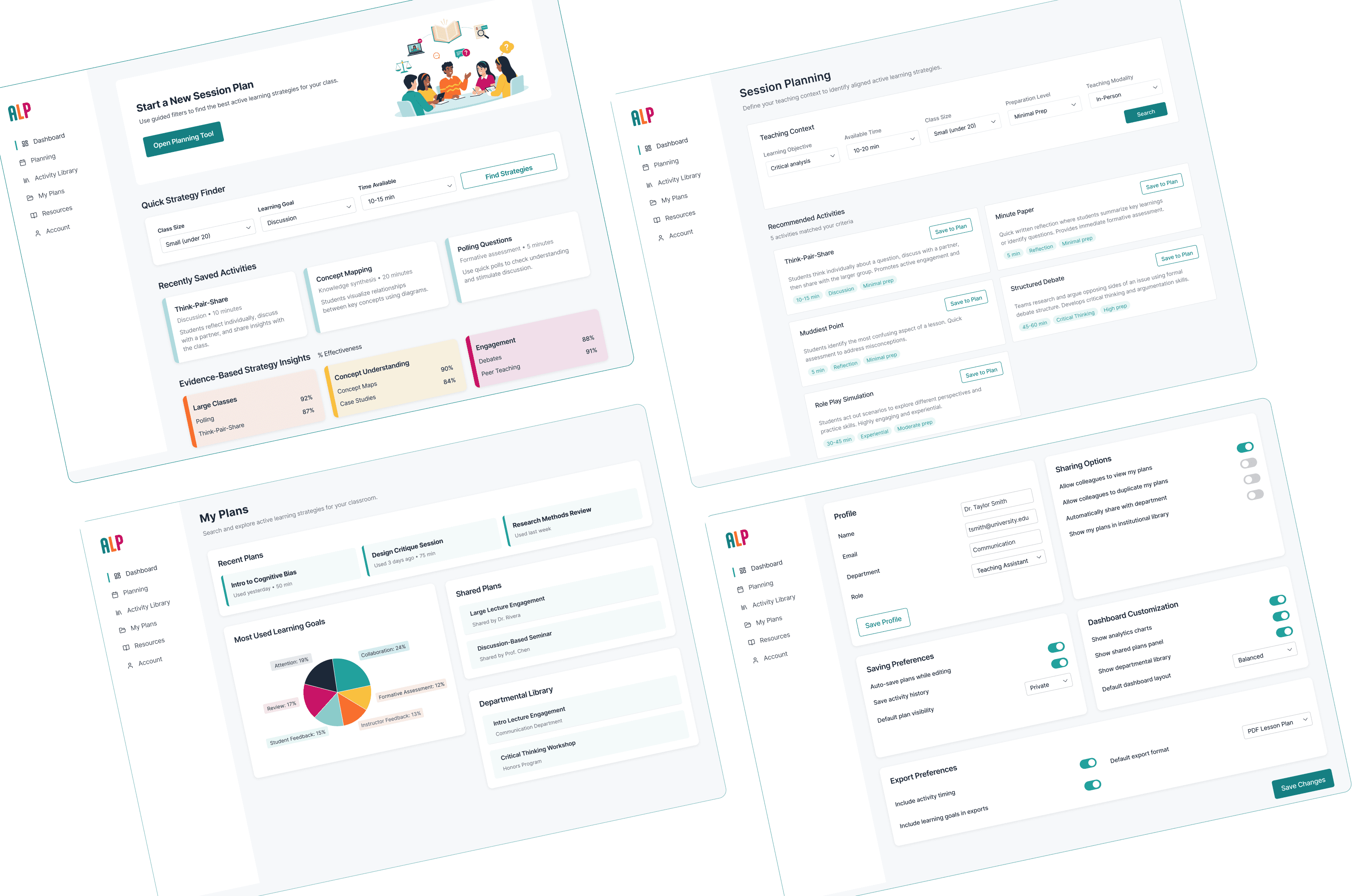
I identified a need to transform this vast library into a tool that reduces friction by allowing instructors to filter strategies based on the real-world constraints of their specific classrooms: size, time, and goal.
Building on the foundation laid by UMD’s Teaching and Learning Center, I saw an opportunity to make their wealth of strategies even more accessible. By observing my peers, I realized that for a tool to be useful, it had to be fast.
This project began as a traditional website for a visual design course, intended to host active learning strategies for university instructors. However, after conducting interviews and utilizing the AI research tool Whyser, a critical user pain point emerged: Professors and TAs don't have time to browse. My mission shifted from building a content repository to creating a high-velocity search dashboard that could fit into a 5-minute lesson-planning window.
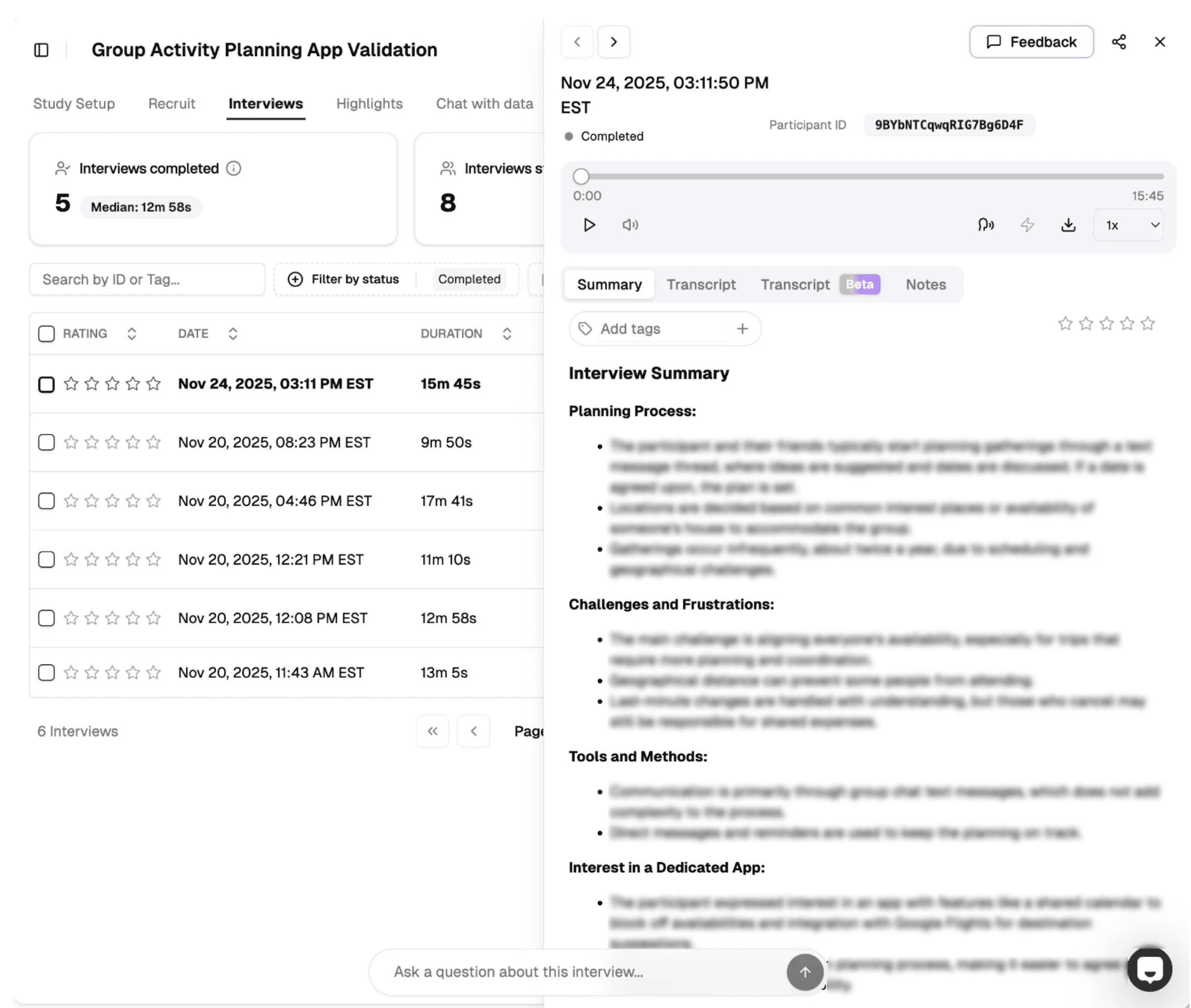
To move past my own assumptions, I conducted a series of interviews with fellow TAs. I utilized Whyser, an AI-powered research tool, to analyze these conversations and extract core themes.
Discovery: The data revealed that instructors had plenty of content, they just needed a quicker way to plan a lesson that would help the students absorb the information and have a greater impact on their learning.
Pivot: The interviews confirmed that fluff was the enemy of adoption. Users didn't want long academic justifications; they wanted a interface that surfaced high-impact metadata (prep time, group size, and learning goals) instantly. So I changed the project scope from a website to a dashboard.
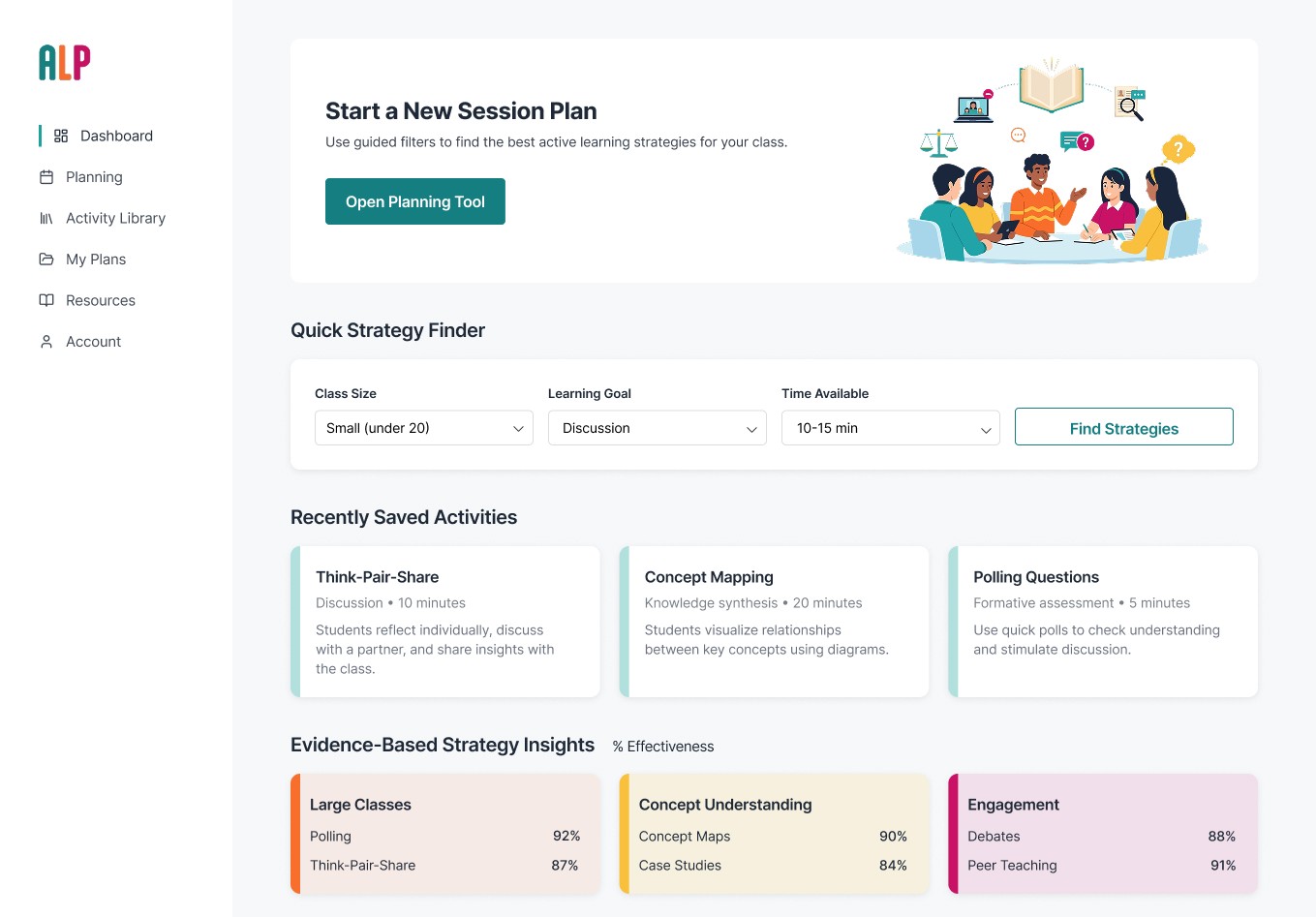
With a clear set of user requirements, I moved into production. I experimented with Figma Make to accelerate the initial layout phase, using AI-generated components to quickly iterate on different dashboard architectures.
Workflow: This allowed me to spend less time on wireframeing and more time on high-level UI polish and the logic of the filtering system.
Filter-First UX: I designed a robust filtering system that allows an instructor to go from 'I have 10 minutes and 30 students' to a specific strategy in three clicks.
View Figma Make Prototype
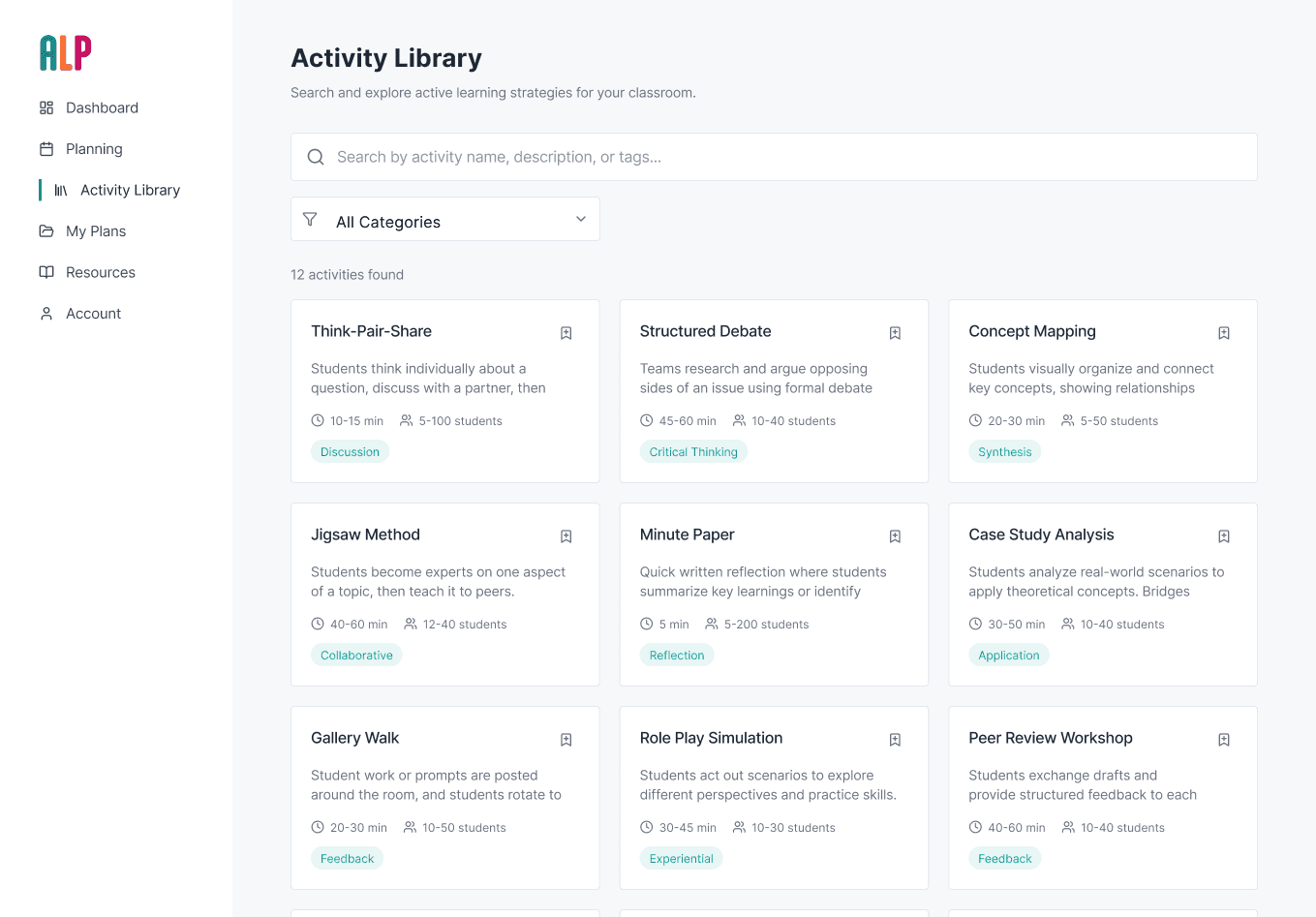
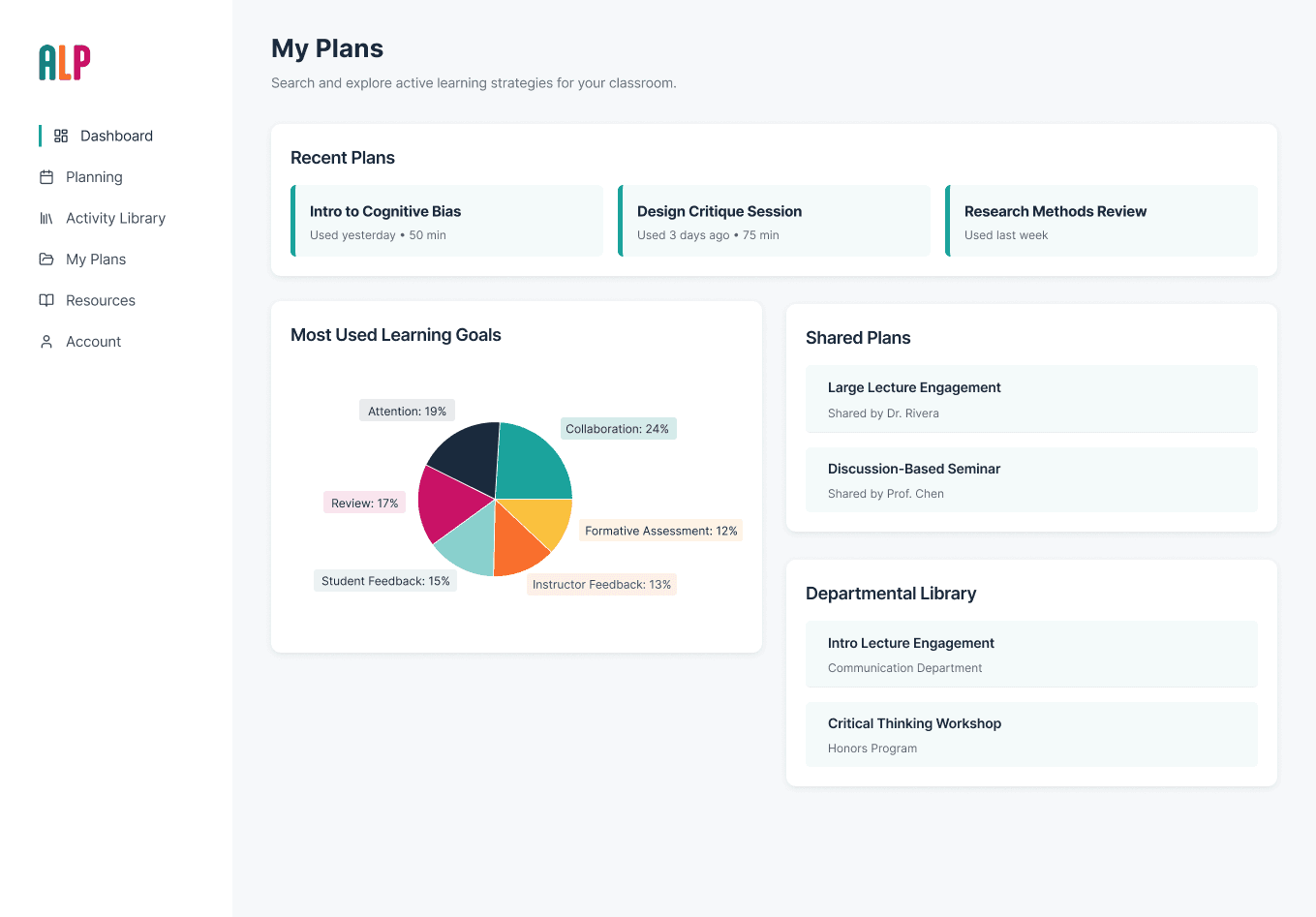
Leveraging my graphic design background, I refined the AI’s output into a professional interface that feels intuitive to an academic audience while maintaining the speed of a modern SaaS tool.
This dashboard is a self-initiated project born from my passion for instructional efficiency. While the prototype is strong, the project is ongoing.
Future Plans
Designing a formal research study to measure the tool’s impact on lesson-planning speed among a wider cohort of TAs.
Presenting this high-fidelity dashboard and my research findings back to the TLTC stakeholders. My objective is to bridge the gap between their deep pedagogical library and the high-speed needs of the modern classroom, ultimately pitching a tool that can be scaled across the university.